OhRec 0.2.0: Desktop Apps, Chapters, and Presenter Bubbles
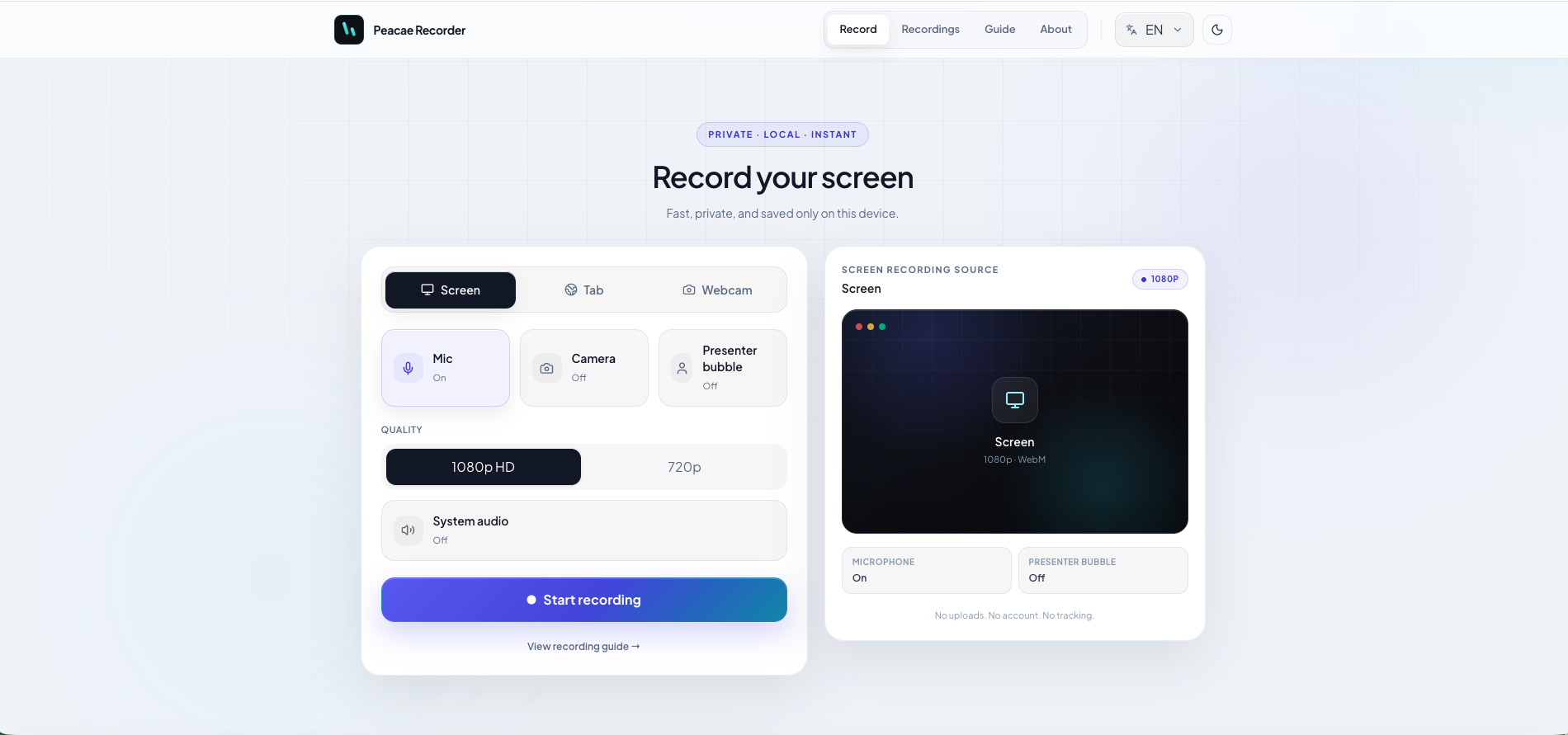
OhRec 0.2.0 is available today on peacae.com: macOS (Apple Silicon) and Windows installers, alongside the browser experience at ohrec.app.
This release tightens what the product has promised from the start: fast capture, local preview, and a library on your machine—no required account and no default cloud upload.
What's new in 0.2.0
Desktop installers
Desktop builds are hosted on peacae.com with clear versioning:
- •macOS 11+ (Apple Silicon) —
.dmg - •Windows 10+ (64-bit) — portable
.exe
The desktop app adds what the browser cannot always deliver as cleanly: global hotkeys, a menu bar / system tray icon, and recordings saved to disk (~/Movies/Peacae on Mac, %USERPROFILE%\Videos\Peacae on Windows).
Chapters while recording
At ohrec.app you can mark moments during capture and jump straight to them during playback. That helps long demos, tutorials, and bug reproductions where "go to the exact moment" saves real time.
Presenter bubble: style and shape
The camera bubble is no longer a plain default circle. Choose:
- •Styles: Minimal, Pro, Brand
- •Shapes: Circle or Squircle
Live preview matches export—no surprises after capture.
Screen/camera cross-fade without stopping
Switch between screen and camera mid-recording with a cross-fade, without stopping capture. One continuous file—ideal for walkthroughs that alternate between demo and face.
Refreshed interface
Web and desktop builds received light-theme, layout, and visual consistency improvements—the product should feel as simple to use as it is to explain.
Web or desktop?
| Need | Where to go |
|---|---|
| Try instantly, no install | ohrec.app |
| Hotkeys, tray, files on disk | Desktop downloads |
| Product context and releases | Product page |
Best for
OhRec fits when you need to:
- •Record a demo or bug in a few clicks
- •Keep files local by default
- •Structure a long capture with chapters
- •Present with a styled camera bubble without heavy editing
Try it now
Screenshots
2 screenshots — opens in a gallery dialog
Related Articles
How to record your screen privately in the browser
A quick walkthrough of the web recorder setup: sources, audio, quality, and what stays on your device.
Presenter bubble styles and shapes explained
Style your on-screen presenter bubble before you record — position, preview, theme, and shape.
Switch screen and camera mid-recording
Change views during a recording with a smooth transition instead of starting a new file.