Screen recordings with a presenter bubble
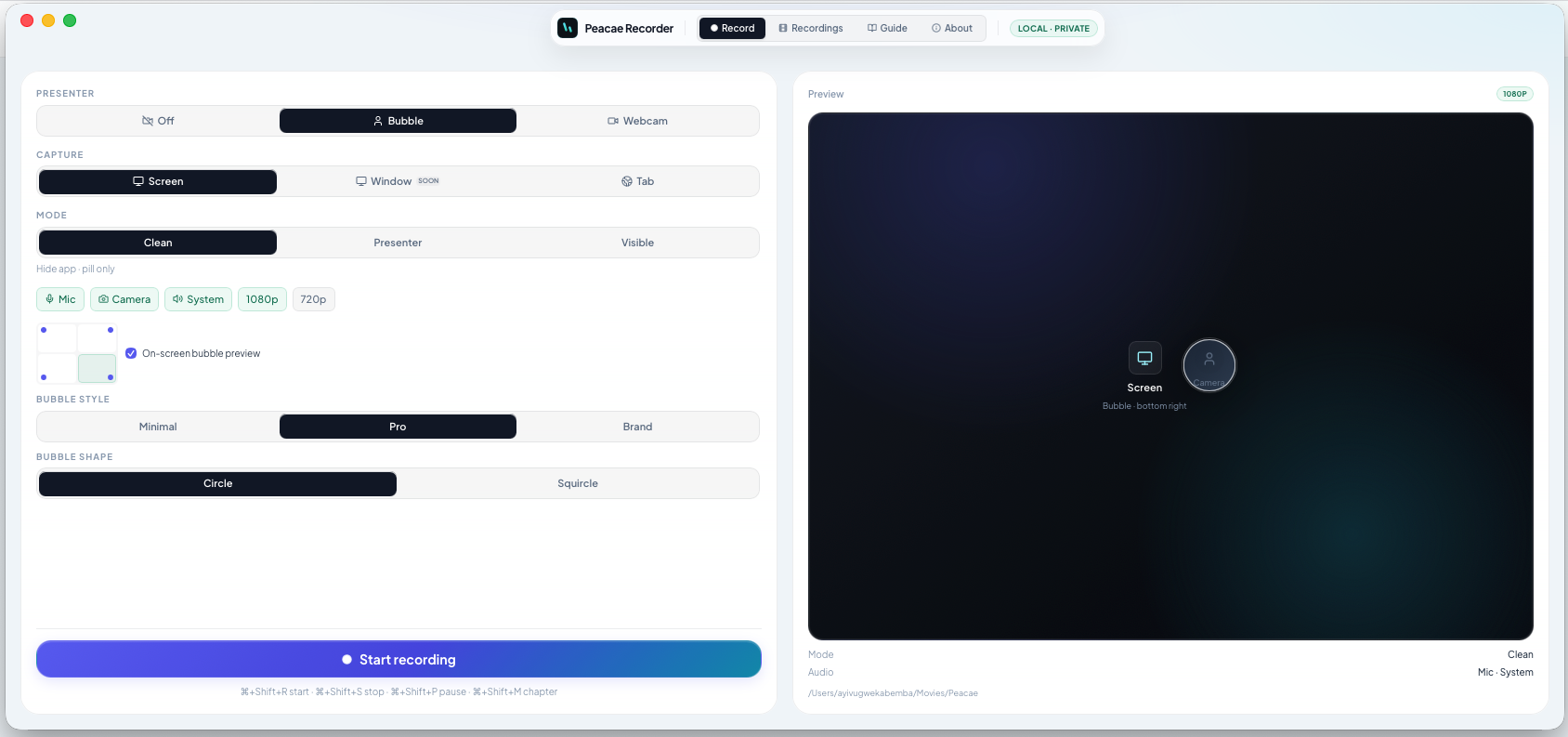
Full-camera recordings feel personal but hide your UI. A presenter bubble keeps the screen as the hero while you stay visible in a corner overlay — common for tutorials and product updates.
Turn on the bubble
Enable Presenter bubble in setup, choose a corner, and pick style and shape. The preview shows exactly where the bubble lands on your capture.
Pair with mic and system audio
Add microphone for narration and system audio when you need app or tab sound. The bubble composes into the same file — one download, one timeline.
Screenshots
1 screenshot — opens in a gallery dialog
Related Articles
How to record your screen privately in the browser
A quick walkthrough of the web recorder setup: sources, audio, quality, and what stays on your device.
Presenter bubble styles and shapes explained
Style your on-screen presenter bubble before you record — position, preview, theme, and shape.
Switch screen and camera mid-recording
Change views during a recording with a smooth transition instead of starting a new file.